> For the complete documentation index, see [llms.txt](https://help.lockpro.io/llms.txt). Markdown versions of documentation pages are available by appending `.md` to page URLs; this page is available as [Markdown](https://help.lockpro.io/how-to-activate-enable-the-lock.md).
# How to activate/enable the lock?
The lock has been created, but it is not working because it is not enabled.
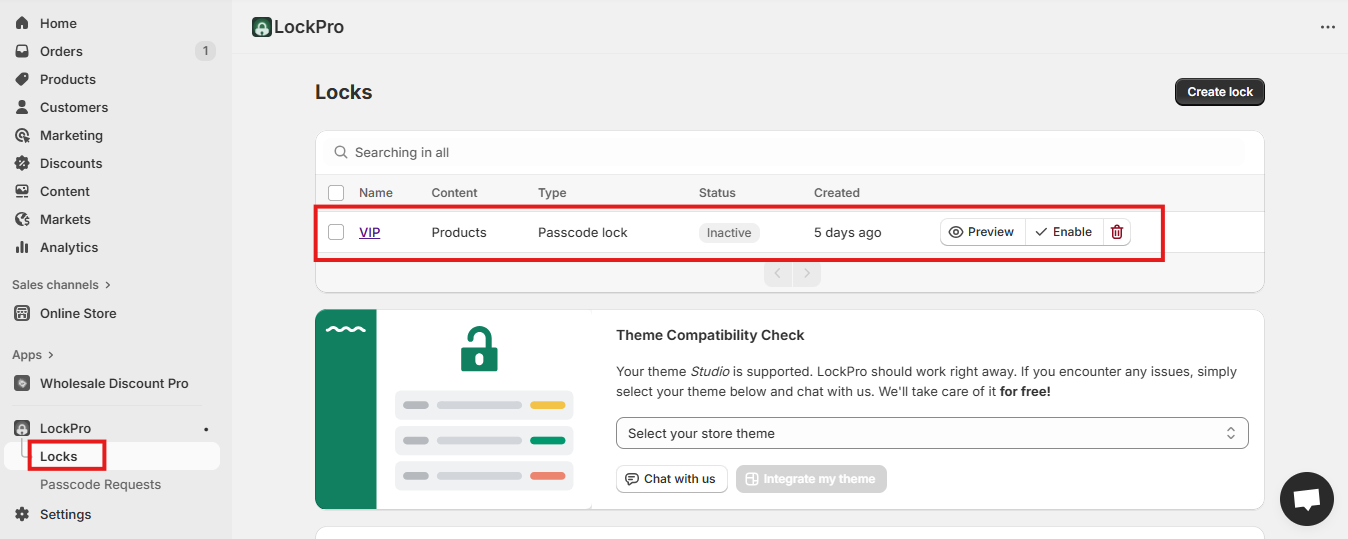
1. In Shopify Admin, go to **Apps → LockPro**. Select the lock you’ve already created.
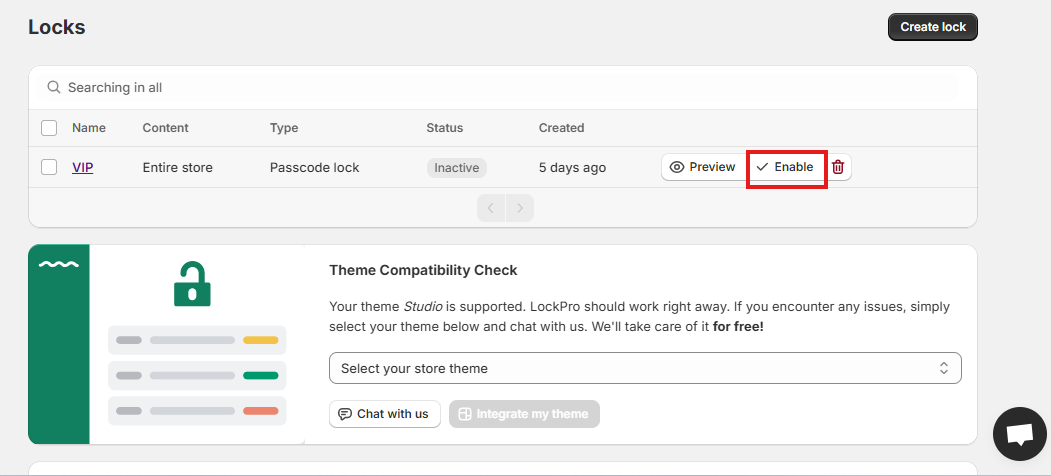
2. Click on "Enable" button
Once enabled, lock will start working on the storefront for enabled app embed themes. Reach out to if you need any assistance.