> For the complete documentation index, see [llms.txt](https://help.lockpro.io/llms.txt). Markdown versions of documentation pages are available by appending `.md` to page URLs; this page is available as [Markdown](https://help.lockpro.io/how-to-customize-your-password-page.md).
# How to customize your password page
You can customize the text, colors, and layout from the same lock settings.
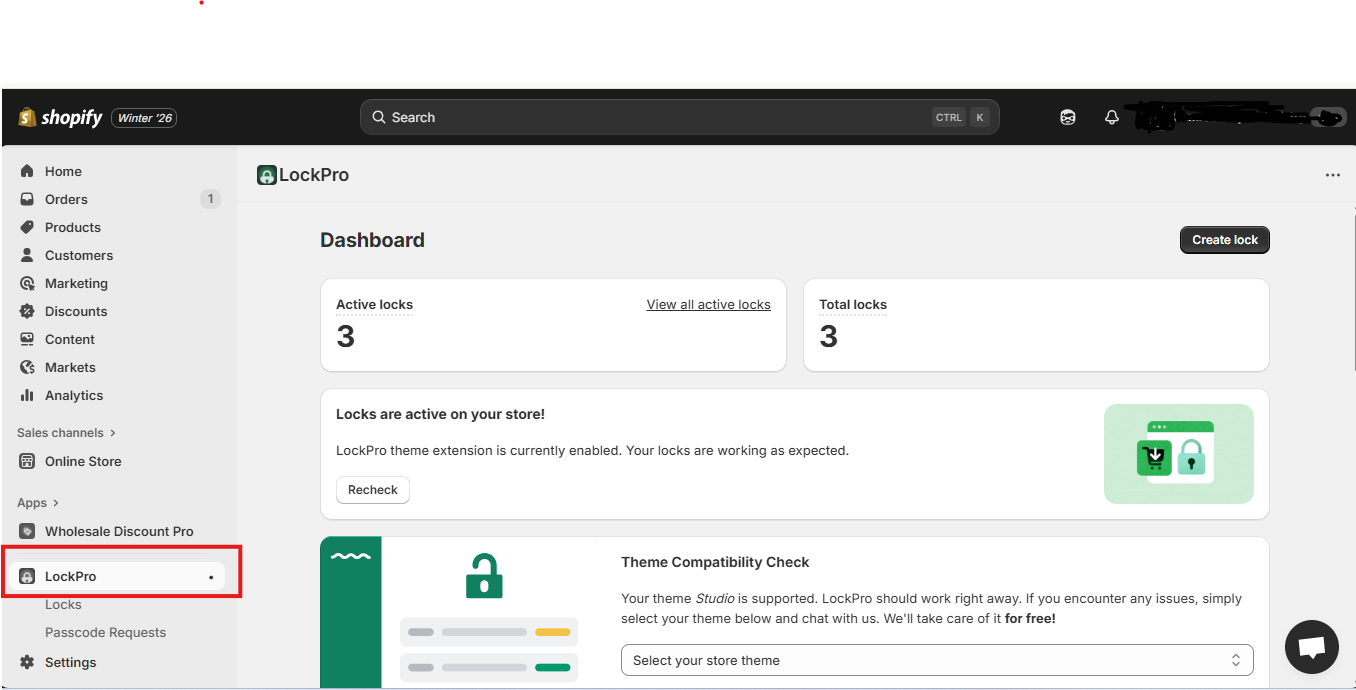
1. In Shopify Admin, go to **Apps → LockPro**.
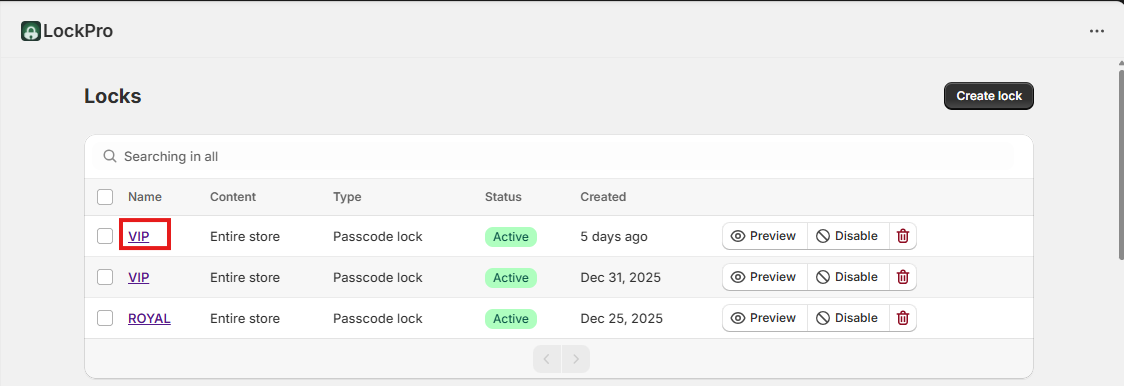
2. Open **Locks**, then open the lock you want to edit.
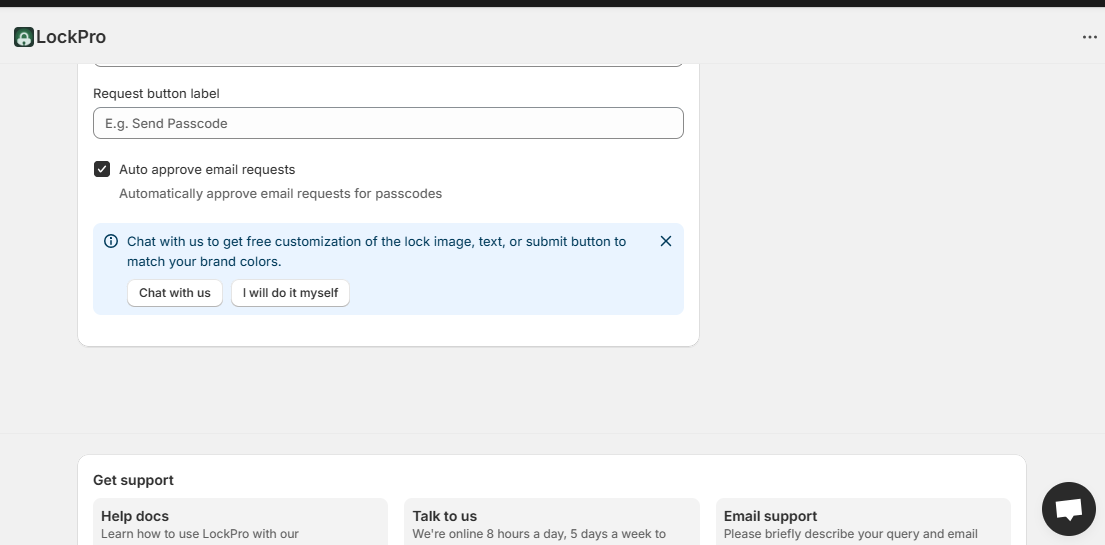
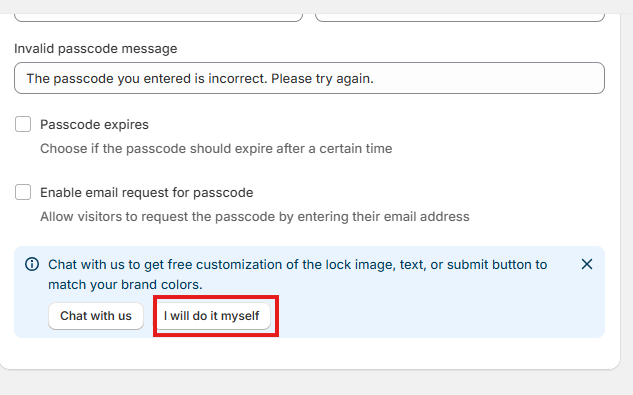
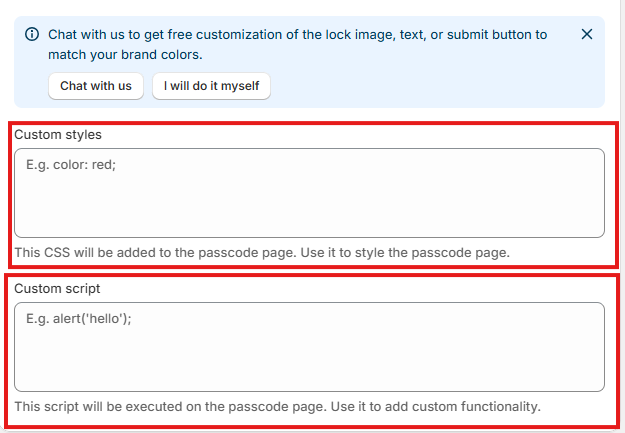
3. Scroll down to see the customization options. (Follow this video if you don't see "I will do it myself" button.
4. Click **I’ll do it myself**.
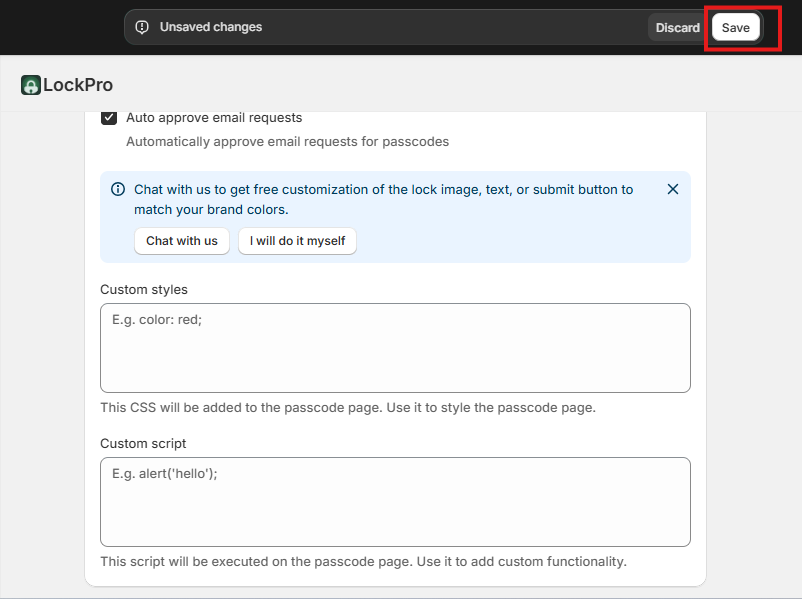
5. In **Custom Styles**, add your CSS or click on Chat with us and we will prepare free CSS for you :)
6. Click **Save**.
7. Refresh your storefront page to see the changes.
{% hint style="warning" %}
Only change **Custom Stylesheet** and **Custom Script** if you know what you’re doing. If you’re unsure, reach out to our chat support and we’ll prepare it for you.
{% endhint %}