> For the complete documentation index, see [llms.txt](https://help.lockpro.io/llms.txt). Markdown versions of documentation pages are available by appending `.md` to page URLs; this page is available as [Markdown](https://help.lockpro.io/how-to-prevent-locked-products-from-appearing-in-search-results.md).
# How to prevent locked products from appearing in search results?
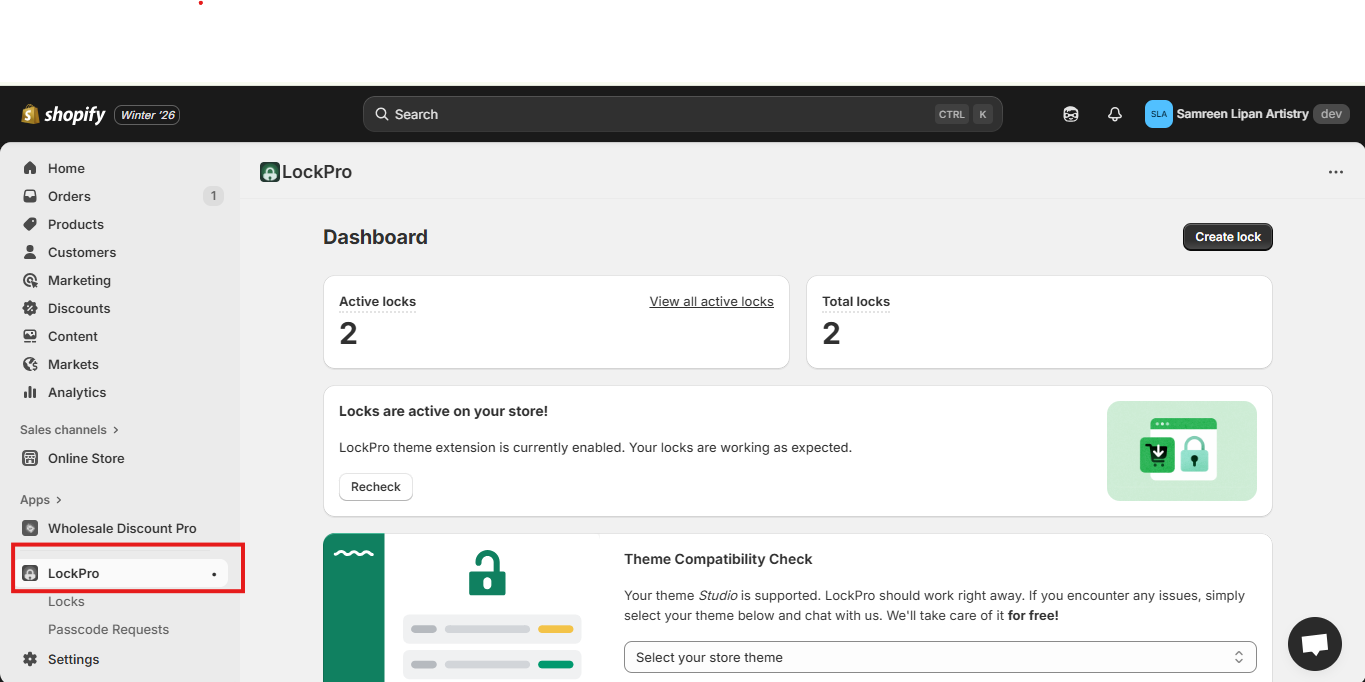
1- In Shopify Admin, go to Apps → LockPro.
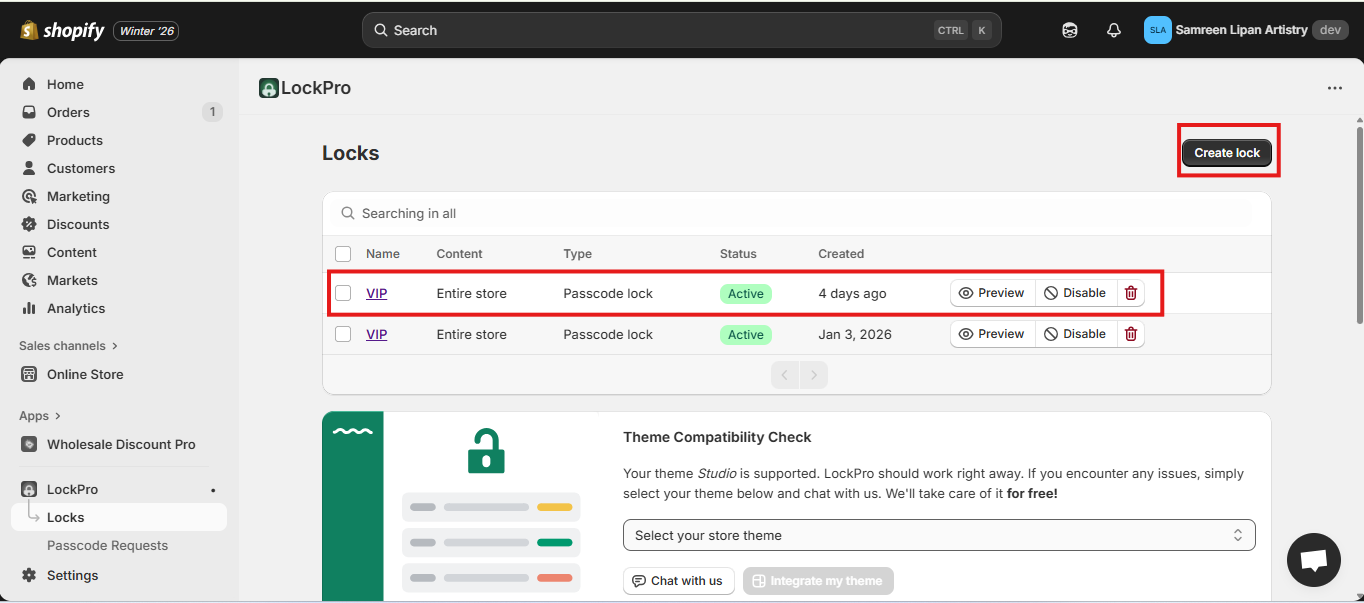
2- Go to an existing lock, or set up a new lock.
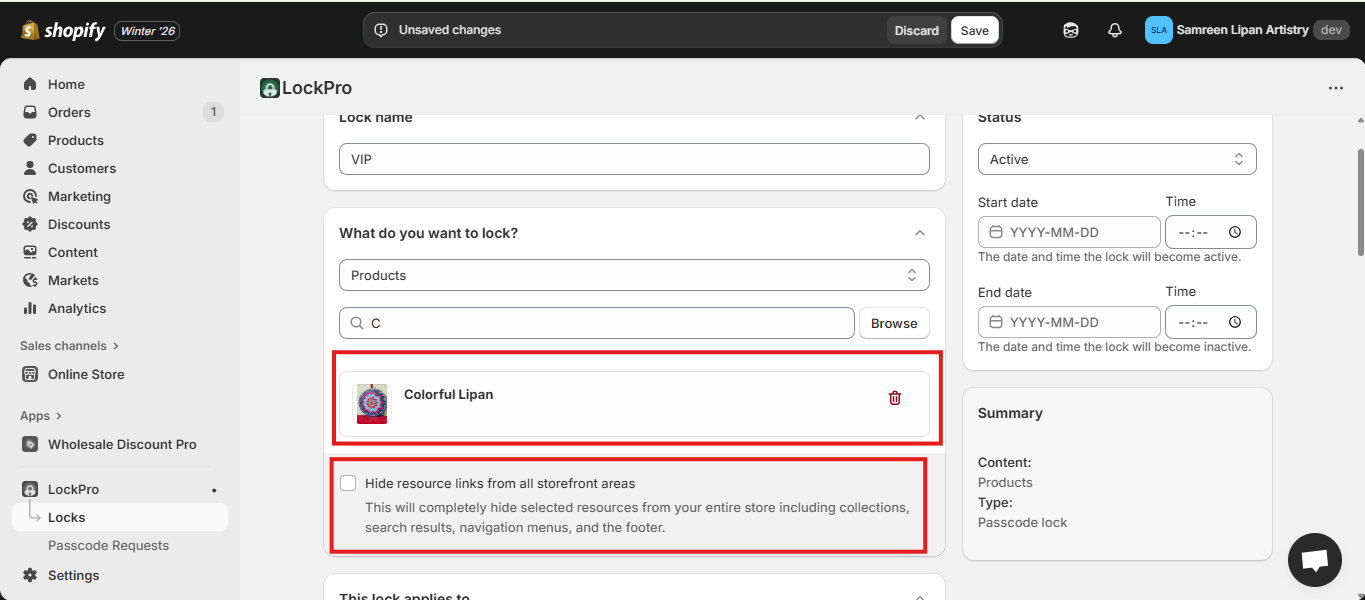
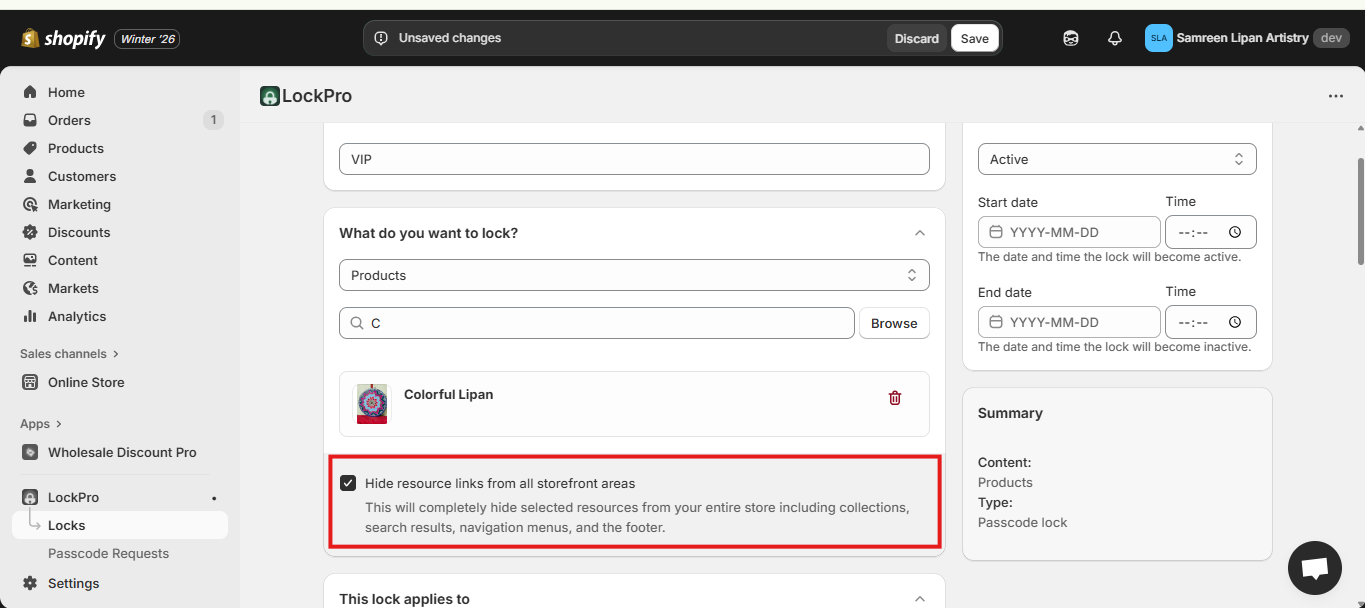
3- As an example, the product you want to lock is shown here, and the option to hide resource links from all storefront areas is not enabled.
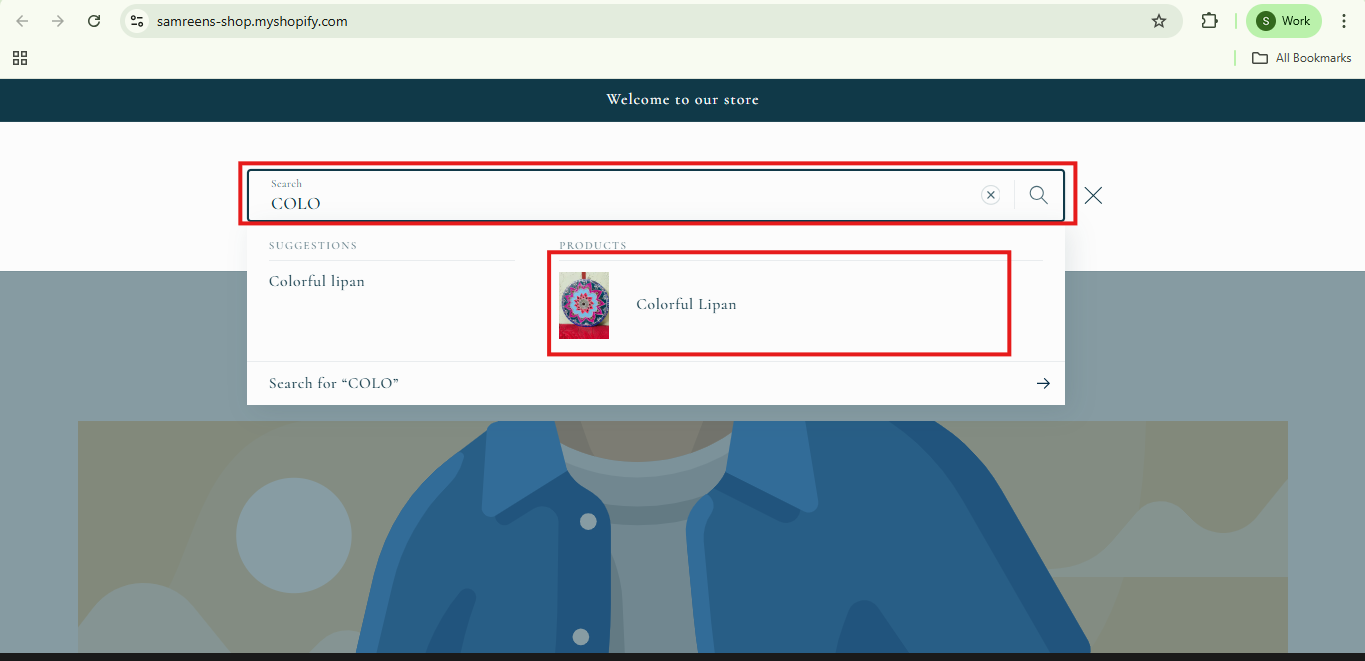
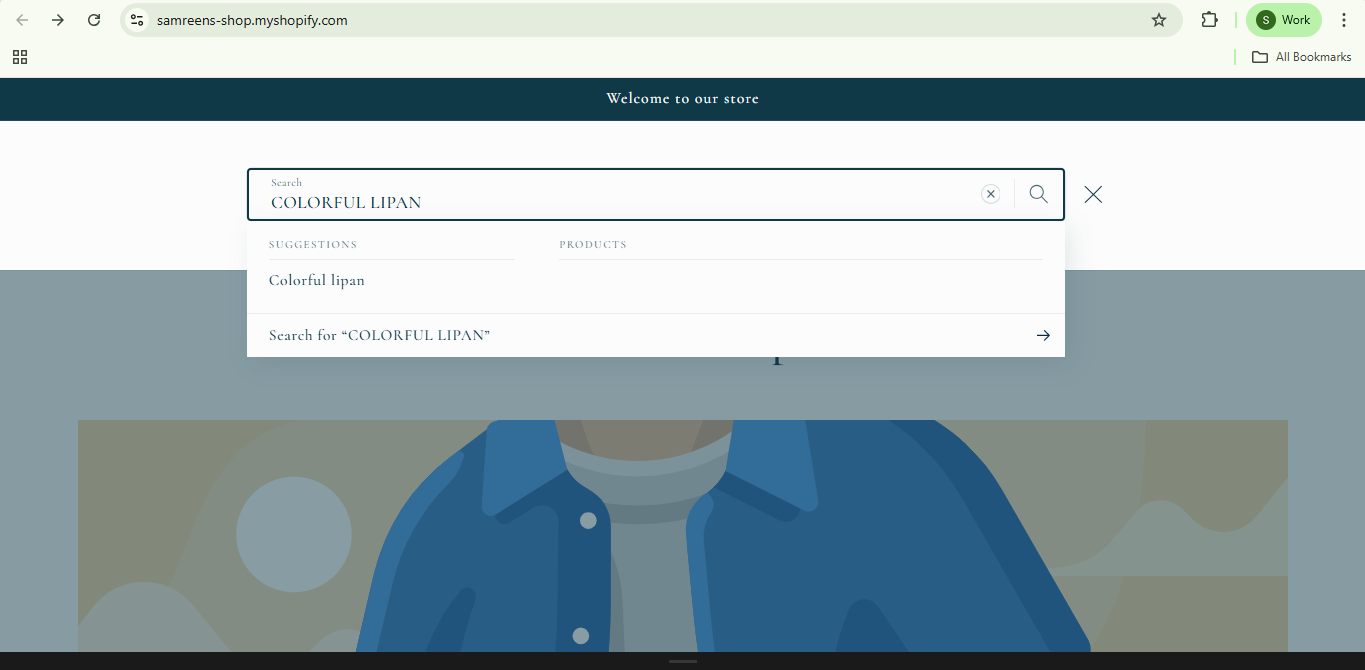
On the storefront, the search result appears like this.
4- Turn on ‘Hide resource links from all storefront areas’ to hide the product from search results.
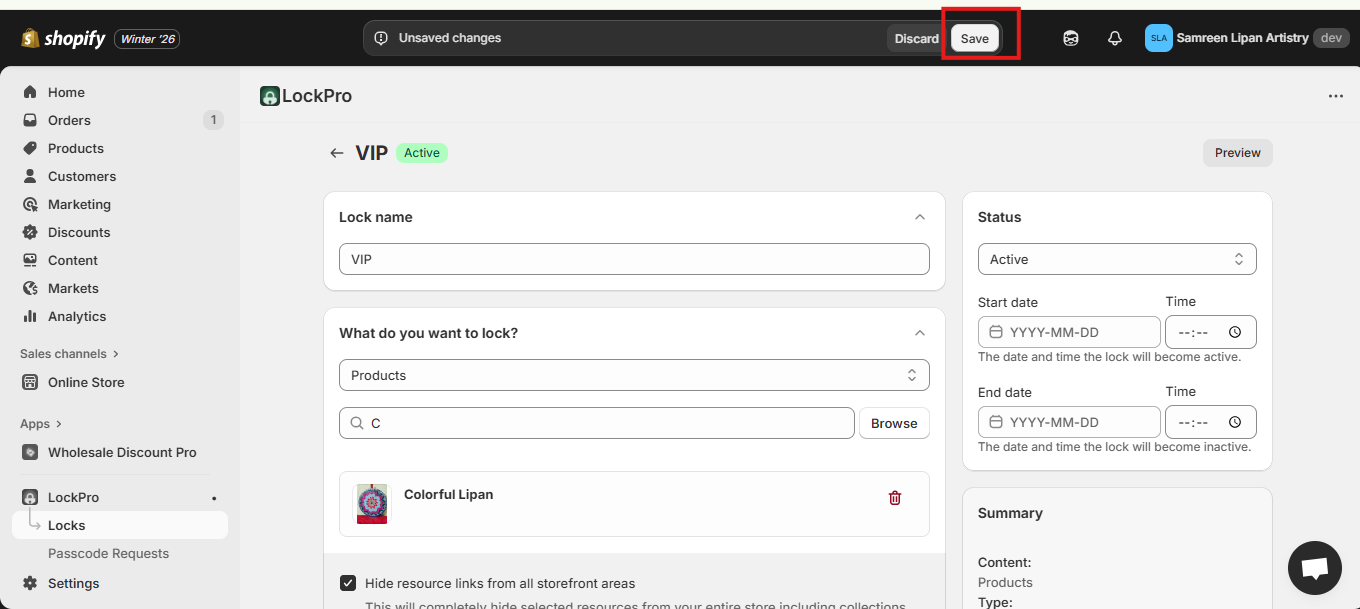
5- Click Save to apply the changes.
6- Once **Hide resource links** is enabled, the product will no longer appear in storefront search results.
{% hint style="info" %}
Please note that this option works smoothly only on lockpro-supported themes.
\
If you want to use this feature on a custom theme, please reach out to our customer support team for assistance.\
[Lockpro supported themes.](/what-themes-does-lockpro-supports.md)
{% endhint %}